
Creating a home workspace that feels both cozy and productive can transform your work-from-home experience. Whether you’re tackling a project, attending virtual meetings, or simply checking emails, the right environment helps maintain focus while keeping stress at bay. Here are practical steps to design a workspace that nurtures comfort and enhances efficiency.
Choose the Right Location
Selecting where to set up your workspace is a critical first step. Ideally, find a spot that offers:
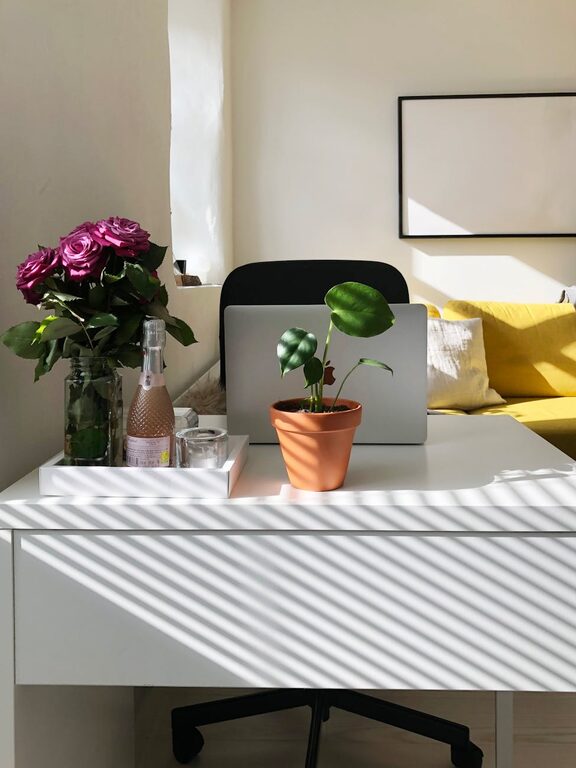
– Natural light: Position your desk near a window to benefit from daylight, which can improve mood and reduce eye strain.
– Minimal distractions: Choose a quiet corner away from household traffic or noisy areas.
– Adequate space: Ensure enough room for your desk, chair, and any equipment or supplies you’ll use regularly.
If space is limited, even a small nook or a cleared dining table can be transformed into an effective workspace.
Prioritize Ergonomics
A comfortable setup prevents physical discomfort that can distract from your work. Consider these ergonomic essentials:
– Desk and chair height: Your desk should allow your elbows to rest comfortably at about a 90-degree angle, while your feet should be flat on the floor or on a footrest.
– Supportive chair: Invest in a chair that supports your lower back and promotes good posture.
– Monitor position: Place your computer screen at eye level and about an arm’s length away to avoid neck and eye strain.
– Keyboard and mouse placement: Keep them within easy reach so your wrists remain straight and relaxed.
Regularly stand up, stretch, or walk to help reduce stiffness from sitting too long.
Organize with Purpose
A tidy workspace promotes mental clarity and efficiency. Here’s how to organize effectively:
– Declutter daily: Remove unnecessary items from your desk at the end of each day.
– Use storage solutions: Drawers, shelves, desk organizers, or filing cabinets keep supplies and documents neatly stored.
– Cable management: Use clips or Velcro ties to keep cords untangled and out of the way.
– Personal system: Create a filing or digital method that works for you to keep track of tasks and deadlines.
Keeping only essential tools and materials nearby helps maintain focus.
Add Personal Touches
Making your workspace feel inviting encourages you to spend time there. Personal touches might include:
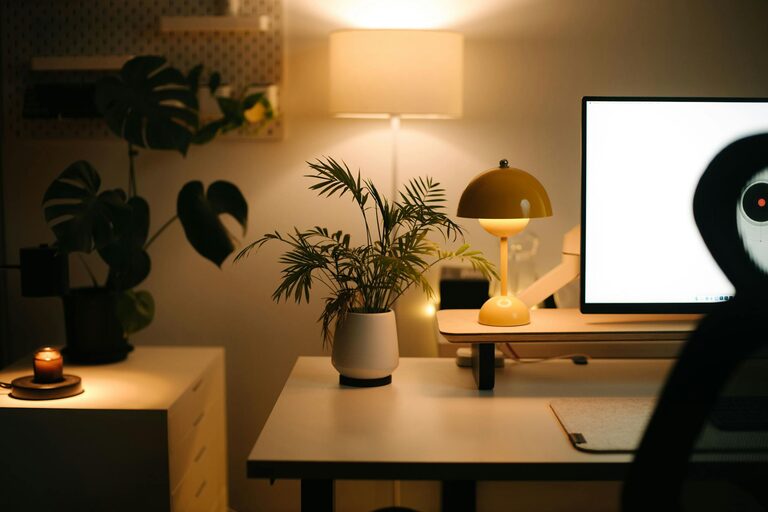
– Plants: Small greenery can improve air quality and add a calming vibe.
– Artwork or photos: Inspirational or pleasant images can boost your mood.
– Comfort items: A cozy blanket, cushion, or desk lamp with warm lighting enhances comfort.
– Scent: A subtle diffuser or candle with a favorite scent can create a relaxing atmosphere (remember safety).
Striking a balance between personalization and simplicity is key to avoiding distractions.
Manage Lighting Effectively
Proper lighting reduces eye fatigue and keeps energy levels up. To optimize lighting:
– Use a combination of natural light and artificial sources.
– Position desk lamps to avoid glare on your screen.
– Choose bulbs with a color temperature around 4000K to 5000K for a neutral, daylight feel.
– Dimmer switches or adjustable lamps can help tailor brightness throughout the day.
Good lighting supports both comfort and focus.
Establish Boundaries and Routine
To maintain productivity, clear boundaries between work and personal life are crucial.
– Set schedule: Define work hours and stick to them.
– Dedicated area: Use your workspace only for work if possible, avoiding activities like watching TV or eating there.
– Communicate boundaries: Let family or roommates know your schedule to minimize interruptions.
– Breaks: Incorporate short breaks to rest your mind and body.
Consistent routines help your brain associate the space with work and improve concentration.
Use Technology Wisely
Technology can streamline tasks but also distract. Here are tips to use it effectively:
– Keep essential devices and apps updated.
– Use productivity tools like calendars, task lists, and timers.
– Limit notifications that aren’t urgent.
– Use headphones or noise-canceling earbuds if ambient noise is distracting.
– Ensure good internet connectivity for smooth virtual meetings.
Being intentional with technology supports a balanced workflow.
—
Creating a cozy and productive home workspace is about blending comfort with function. By selecting the right location, focusing on ergonomics, staying organized, personalizing your space, managing lighting, establishing boundaries, and using technology wisely, you can craft an environment that helps you work efficiently and enjoyably. Small changes can make a big difference in how you feel and perform daily, turning your home workspace into a place that truly supports your success.

Related Posts